我們打開visual studio code , 選擇文件------------->將文件夾添加到工作區(qū),導(dǎo)入我們的項目
安裝Element
導(dǎo)入后,我們安裝以下element
官網(wǎng):https://element.eleme.cn/#/zh-CN/component/installation
安裝命令:npm add element-ui或者也可以用yarn
安裝完成后,我們在main.js中引入Element
import Vue from 'vue'
import App from './App'
import router from './router'
import ElementUI from 'element-ui'
import 'element-ui/lib/theme-chalk/index.css'
Vue.config.productionTip = false
/* eslint-disable no-new */
Vue.use(ElementUI)
new Vue({
el: '#app',
router,
components: { App },
template: '<App/>'
})
頁面路由
我們把components改名為views,并在目錄下添加3個頁面:Login.vue、Home.vue、404.vue。
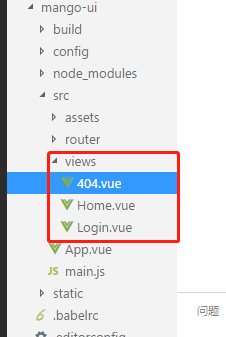
頁面內(nèi)容類似:
<template>
<div class="page">
<h2>Login Page</h2>
</div>
</template>
<script>
export default {
name: 'Login'
}
</script>
配置路由
打開router/index.js,添加3個路由分別對應(yīng)主頁、登錄、404頁面
import Vue from 'vue'
import Router from 'vue-router'
import Login from '@/views/Login'
import Home from '@/views/Home'
import NotFound from '@/views/404'
Vue.use(Router)
export default new Router({
routes: [
{
path: '/',
name: 'Home',
component: Home
}, {
path: '/login',
name: 'Login',
component: Login
}, {
path: '/404',
name: 'notFound',
component: NotFound
}
]
})
配置完后啟動項目,在瀏覽器訪問測試
http://localhost:8080/#/

http://localhost:8080/#/login
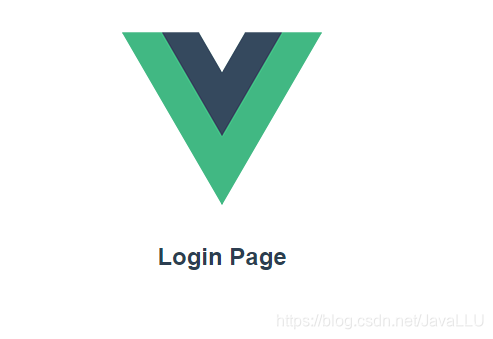
http://localhost:8080/#/404

說明我們的配置已經(jīng)生效了
安裝scss
安裝依賴:
npm uninstall sass-loader //卸載當(dāng)前版本)
npm install sass-loader@7.3.1 --save-dev //卸了重新安裝了一個低版本
npm install node-sass@4.14.1 --save-dev //安裝node-sass
安裝的時候注意對應(yīng)版本,版本不對應(yīng),啟動會報錯
安裝后修改404頁面
<template>
<div class="site-wrapper site-page--not-found">
<div class="site-content__wrapper">
<div class="site-content">
<h2 class="not-found-title">404</h2>
<p class="not-found-desc">抱歉!您訪問的頁面<em>失聯(lián)</em>啦 ...</p>
<el-button @click="$router.go(-1)">返回上一頁</el-button>
<el-button type="primary" class="not-found-btn-gohome" @click="$router.push('/')">進(jìn)入首頁</el-button>
</div>
</div>
</div>
</template>
<script>
export default {
name: '404'
}
</script>
<style lang="scss">
.site-wrapper.site-page--not-found {
position: absolute;
top: 60px;
right: 0;
bottom: 0;
left: 0;
overflow: hidden;
.site-content__wrapper {
padding: 0;
margin: 0;
background-color: #fff;
}
.site-content {
position: fixed;
top: 15%;
left: 50%;
z-index: 2;
padding: 30px;
text-align: center;
transform: translate(-50%, 0);
}
.not-found-title {
margin: 20px 0 15px;
font-size: 8em;
font-weight: 500;
color: rgb(55, 71, 79);
}
.not-found-desc {
margin: 0 0 30px;
font-size: 26px;
text-transform: uppercase;
color: rgb(118, 131, 143);
> em {
font-style: normal;
color: #ee8145;
}
}
.not-found-btn-gohome {
margin-left: 30px;
}
}
</style>
再瀏覽器訪問http://localhost:8080/#/404

可以看到樣式改變了
安裝axios
命令:npm install axios
安裝完成后修改Home頁面,進(jìn)行一個簡單的測試
<template>
<div class="page">
<h2>Home Page</h2>
<el-button type="primary" @click="testAxios()">測試Axios調(diào)用</el-button>
</div>
</template>
<script>
import axios from 'axios'
import mock from '@/mock/mock.js'
export default {
name: 'Home',
methods: {
testAxios() {
axios.get('http://localhost:8080').then(res => { alert(res.data) })
}
}
}
</script>
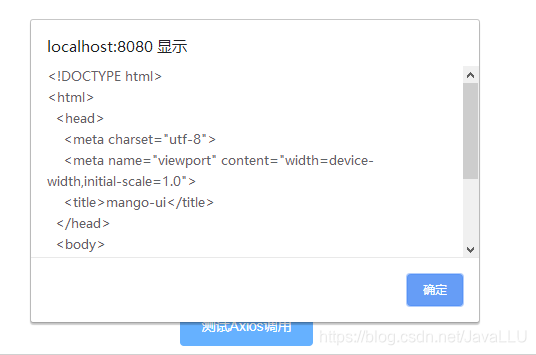
可以看到我們的請求已經(jīng)成功了
安裝Mock.js
為了模擬后臺接口提供頁面需要的數(shù)據(jù),引入mock.js
安裝依賴:npm install mockjs -dev
安裝完成,在src新建一個mock目錄,創(chuàng)建mock.js,在里面模擬兩個接口,分別攔截用戶和菜單的請求并返回相應(yīng)數(shù)據(jù)。
import Mock from 'mockjs'
Mock.mock('http://localhost:8080/user', {
'name': '@name', // 隨機生成姓名
'name': '@email', // 隨機生成郵箱
'age|1-12': 7, // 年齡1-12之間
})
Mock.mock('http://localhost:8080/menu', {
'id': '@increment', // id自增
'name': 'menu', // 名稱為menu
'order|1-10': 6, // 排序1-10之間
})
修改Home.vue,在頁面添加兩個按鈕,分別觸發(fā)用戶和菜單請求。成功后彈出返回結(jié)果
注意:要在頁面引入mock import mock from '@/mock/mock.js'
Home.vue
<template>
<div class="page">
<h2>Home Page</h2>
<el-button type="primary" @click="testAxios()">測試Axios調(diào)用</el-button>
<el-button type="primary" @click="getUser()">獲取用戶信息</el-button>
<el-button type="primary" @click="getMenu()">獲取菜單信息</el-button>
</div>
</template>
<script>
import axios from 'axios'
import mock from '@/mock/mock.js'
export default {
name: 'Home',
methods: {
testAxios() {
axios.get('http://localhost:8080').then(res => { alert(res.data) })
},
getUser() {
axios.get('http://localhost:8080/user').then(res => { alert(JSON.stringify(res.data)) })
},
getMenu() {
axios.get('http://localhost:8080/menu').then(res => { alert(JSON.stringify(res.data)) })
}
}
}
</script>
訪問http://localhost:8080/#/
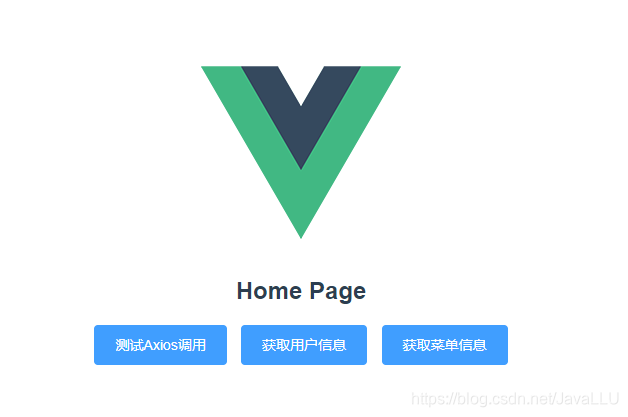
點擊獲取用戶信息
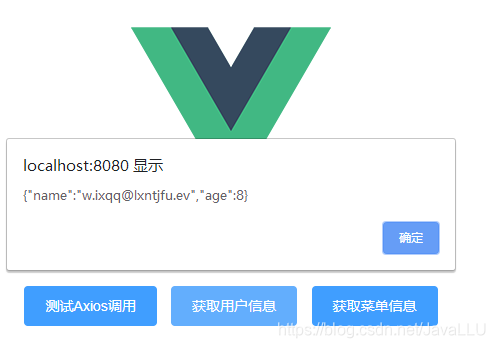
點擊獲取菜單信息
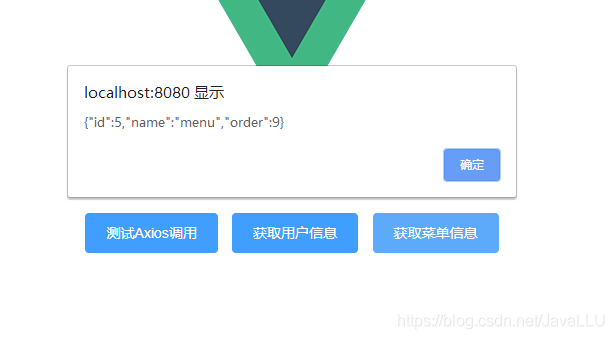
可以看到我們已經(jīng)得到響應(yīng)數(shù)據(jù),這樣mock就集成進(jìn)來了
看完記得點贊哦
藍(lán)藍(lán)設(shè)計建立了UI設(shè)計分享群,每天會分享國內(nèi)外的一些優(yōu)秀設(shè)計,如果有興趣的話,可以進(jìn)入一起成長學(xué)習(xí),請掃碼藍(lán)小助,報下信息,藍(lán)小助會請您入群。歡迎您加入噢~~希望得到建議咨詢、商務(wù)合作,也請與我們聯(lián)系。

文章來源:csdn 作者:Java璐到底
分享此文一切功德,皆悉回向給文章原作者及眾讀者.
免責(zé)聲明:藍(lán)藍(lán)設(shè)計尊重原作者,文章的版權(quán)歸原作者。如涉及版權(quán)問題,請及時與我們?nèi)〉寐?lián)系,我們立即更正或刪除。
藍(lán)藍(lán)設(shè)計( www.xintaizi.com )是一家專注而深入的界面設(shè)計公司,為期望卓越的國內(nèi)外企業(yè)提供卓越的UI界面設(shè)計、BS界面設(shè)計 、 cs界面設(shè)計 、 ipad界面設(shè)計 、 包裝設(shè)計 、 圖標(biāo)定制 、 用戶體驗 、交互設(shè)計、 網(wǎng)站建設(shè) 、平面設(shè)計服務(wù)